Wednesday, December 17, 2014

The Micromax Yu With India Exclusive CYNOGEN OS Launching 18th Dec on Amazon.

YU PLAY GOD: MICROMAX YU


Finally, India would get its much awaited Cynogen Awesomeness. After lot of anticipation & legal hassles of One Plus. Micromax Yu would be launched tommorow in India, Exclusively available on Amazon.in. 

Expects these phones to be amazing in specs and priced nominally. Amazon has already put a teaser on their website.

Wednesday, October 29, 2014

Watch Google Modular Phone Project: Project ARA in action (Video)

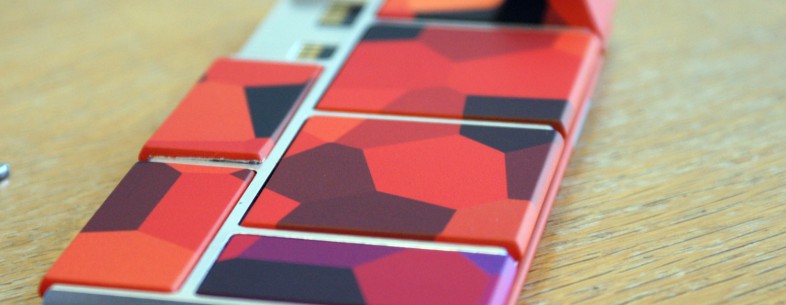
Ara Prototype

Check out the amazing Google's Project Ara phone, working on video. This is future and its not so far. Google also announced it ARA Conference 2 which is happening in January 2015. For details, Here is the blog post by Google ATAP.

Project Ara is Google ATAP’s bold idea to create a phone that lets users upgrade individual hardware components with new or updated features instead of replacing the entire phone. It would give users the ability to create their perfect phone without spending money on features they might never use.


Tuesday, October 28, 2014

Getting 'Inbox by Gmail' Without an invite (Android & ios)

Photo 28-10-2014 14 55 00
Source: TNW
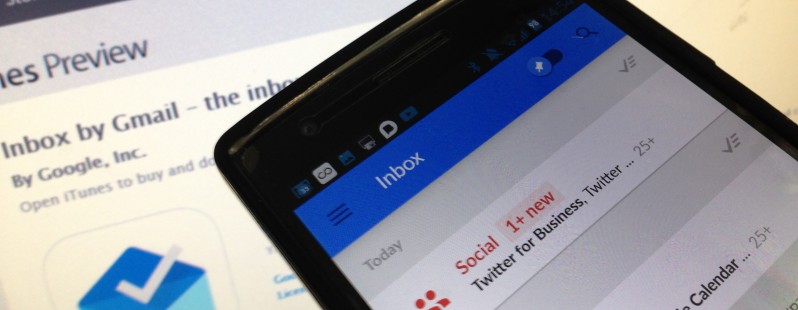
It’s been almost a week since Google launched its new standalone email app called Inbox, and still not everyone is able to access it. The invite-only affair remains, well, invite-only.
But the good folks at WonderHowTo have a slight workaround that may expedite your access – but you still need somebody with access to Inbox for this to work, even if they don’t have an invite to spare.
First up, install the Android or iOS app on your device. You’ll then have to get a friend that has been granted access to log in to their Google Account on your phone. On Android, you do this under the main device settings, and hit ‘Add Account’, while on iOS they simply need to log-in via any Google app.
Screenshot 2014 10 28 14 36 51 220x391 How to access Inbox by Gmail without an invite    Screenshot 2014 10 28 14 37 25 220x391 How to access Inbox by Gmail without an invite
Then your friend must sign-in to the Inbox app with their credentials, whereby they can turn on access for your own account through ‘Manage Accounts’ in the app’s settings.
Don’t forget to remove your friend’s account from your handset, after which you will retain access to Inbox. This worked for us, though it seems that you cannot pass this on to your own friends – WonderHowTo notes that it only works when the official invitee’s account is used in the first instance.

  1. For more detailed How To: Link
Google launches Google Fit app for Android

Photo 28-10-2014 16 44 25
Source: TNW

Google Fit was unveiled to the world back in June, promising a platform to help people track their fitness goals. It’s essentially a set of APIs that lets developers dig in to rival apps and combine data for deeper insights, similar toApple Health.
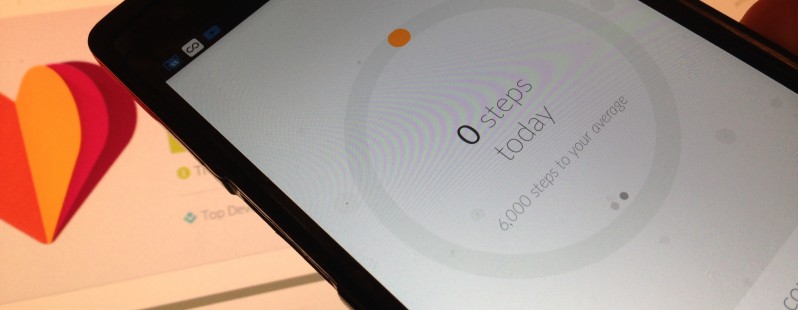
Today, Google has launched a dedicated Google Fit app for Android, serving to capture all your movements throughout the day, including walking, running and cycling. It’s a little bit like Moves, which was acquired by Facebook earlier this year, and a myriad of other fitness-tracking services.
All you do is install the app on your phone, hook it up with your Google account, and Google Fit tracks everything, while serving up stats of your week-to-week and day-to-day activities. More..
Play Store: Google Fit


Wednesday, October 22, 2014

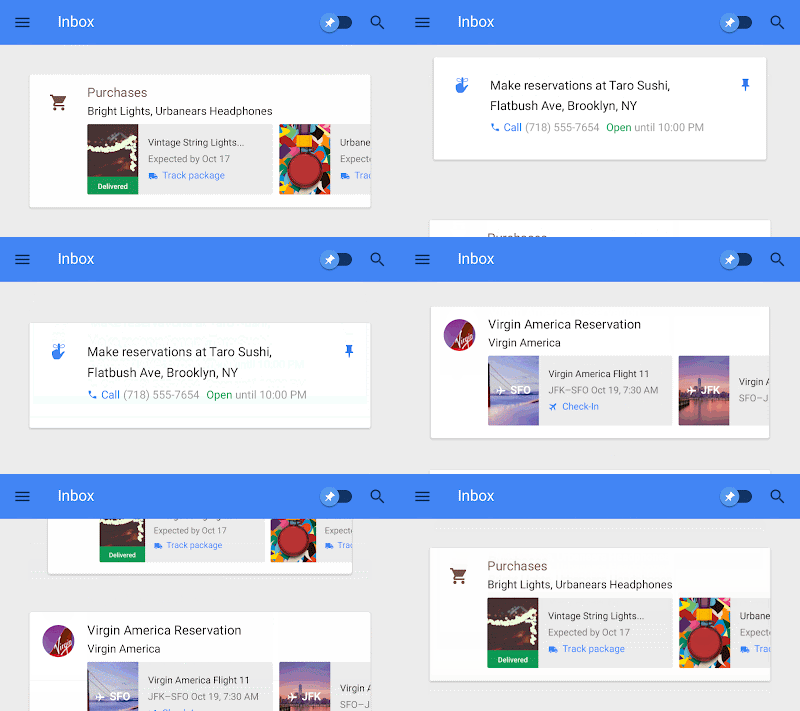
Google unveils 'Inbox' App: A smarter take on Gmail. (Video)


It’s called Inbox. Years in the making, Inbox is by the same people who brought you Gmail, but it’s not Gmail: it’s a completely different type of inbox, designed to focus on what really matters. 

Email started simply as a way to send digital notes around the office. But fast-forward 30 years and with just the phone in your pocket, you can use email to contact virtually anyone in the world…from your best friend to the owner of that bagel shop you discovered last week.


With this evolution comes new challenges: we get more email now than ever, important information is buried inside messages, and our most important tasks can slip through the cracks—especially when we’re working on our phones. For many of us, dealing with email has become a daily chore that distracts from what we really need to do—rather than helping us get those things done. Read on on Gmail Blog

Monday, October 20, 2014

Sunday, October 19, 2014

Download Android 5.0 Lollipop Wallpapers (11)

Source: Android Police

Android 5.0 Lollipop: Wallpapers

It packs 11 new wallpapers.
The first few are abstract geometric shapes, while the rest seem to be real photographs, but of what, I could not tell you. Maybe something related to geology, but definitely not lollipops. That's reserved for the easter egg apparently. And if you were looking for that kite flying wallpaper that we saw on the Nexus 6, you're out of luck. It doesn't seem to be available in the Lollipop Developer Preview.
The resolutions are all over the place, with most wallpapers sporting a height of 2560 pixels and a width that varies between 2323 and 3808 — see how much fun I had trying to align them all in this post? One wallpaper manages to disobey the height rule, with an 1866 x 2000 resolution. Still, they should all be large and tall enough to fit on both the Nexus 6 and 9, and all modern smartphones and tablets.
Download